Create an AI-Powered Resume: Step-by-Step Method to Stand Out
October 22, 2026

You pasted your resume into an AI tool, got a polished text in thirty seconds, then sent the same version to ten companies. The result? Radio silence. The problem isn’t the tool. It’s the lack of verifiable proof behind each line.
To create an AI-powered resume that passes initial screening and holds up in interviews, you need to reverse the approach. Don’t ask for a resume. Provide verifiable facts, set clear boundaries, then verify every claim.
Why AI-Generated Resumes Often Fall Flat
The scenario is always the same. You ask for a compelling resume for a sales assistant role. The tool responds with bland phrases like dynamic results-oriented professional, excellent communication skills, or process optimization. The text sounds convincing but says nothing verifiable about you.
Recruiters quickly spot this emptiness. What requests did you handle, with which software, in what context, and with what results? If you can’t answer, the line works against you. An ATS may also rank the document low if the targeted job title, tools, and skills don’t clearly appear.
The Real Problem Lies Before Writing
AI rephrases what you give it. If you provide a vague task list, it produces a more polished but still vague list. If you don’t forbid it from adding skills, it may add software, responsibilities, or language levels you never claimed.
You’re not alone. In the UK and US, many job seekers use AI tools. According to recent studies, over 75% of job seekers have used AI at some point, and 40% use it to craft stronger resumes or tailor cover letters. The widespread use means what sets applications apart is the discipline applied after generation.
A defensible resume contains only lines you can explain with an example, date, tool, or result.
What You Need to Change Now
Stop starting from your old resume. Start from the job posting. Note its requirements, link each to proof from a job, internship, project, training, or volunteer activity, then let AI rephrase only those elements.
- Remove empty adjectives. Replace vague terms like diligent and autonomous with observable actions.
- Keep your dates intact. The tool shouldn’t round or shift periods.
- Reject orphaned skills. Every keyword must link to a specific experience.
This discipline takes more work than automatic generation but produces a resume that truly represents you and that you can confidently defend in interviews.
Four-Step Method to Create an AI Resume
This method works for first jobs, internships, apprenticeships, or career changes. It’s based on a simple principle: AI organizes and rephrases; you decide the facts. Don’t skip any step, even if the first draft looks good.
The diagram below summarizes the progression, from extracting requirements to expected results.
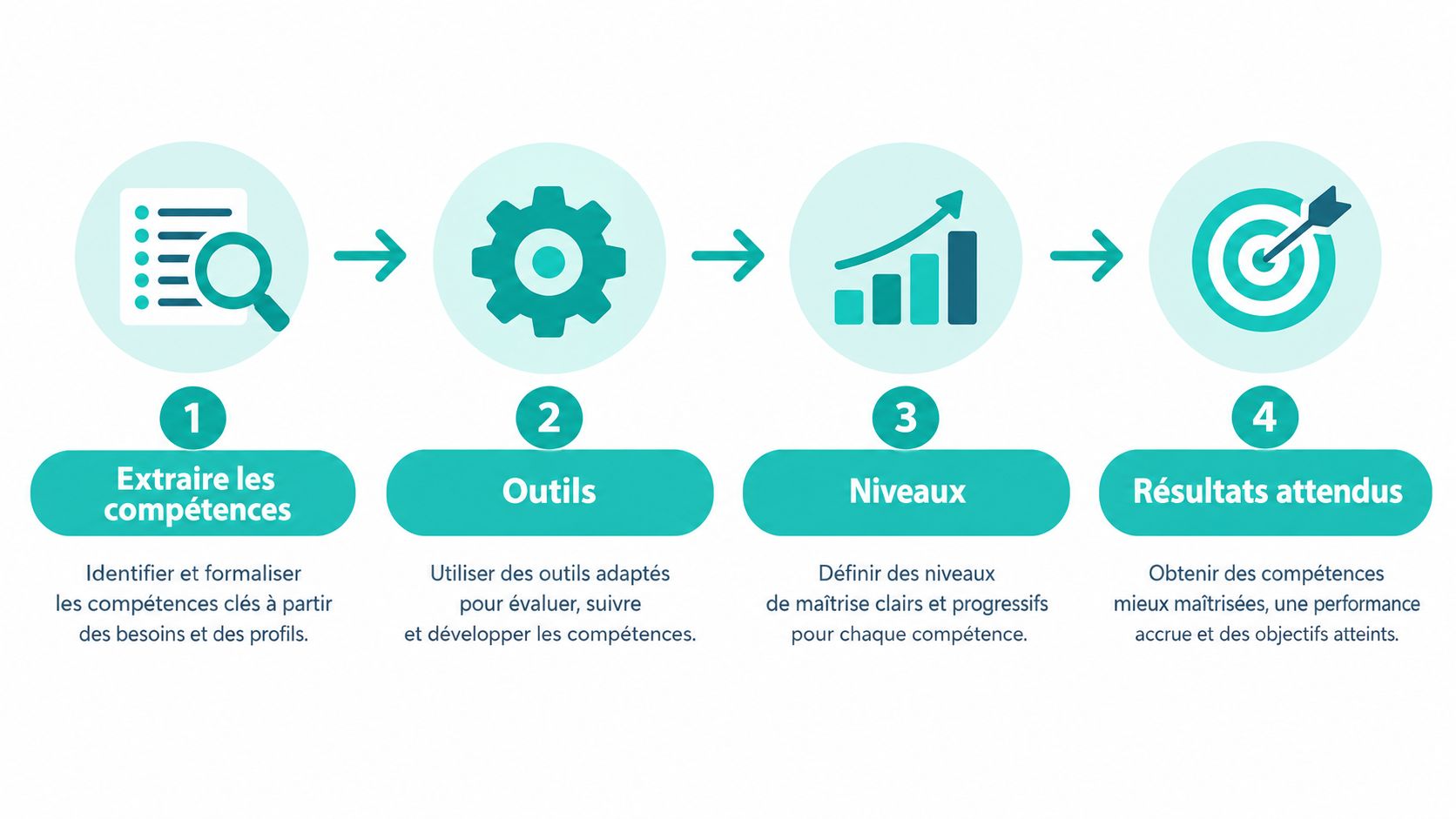
Step 1: Extract Job Requirements
Copy the job ad into the tool and ask for a categorized extraction. You want skills, tools, experience level, and expected results. Forbid any resume writing at this stage.
Analyze this job posting. List mandatory skills, software, qualifications, and expected results. Classify each as essential or desirable. Do not write a resume yet.
For a sales assistant role, you might get customer relations, order tracking, Excel, CRM, and complaint handling. This list becomes your screening grid, not text to copy into your resume.
Step 2: Provide Only Verifiable Facts
Prepare a raw inventory. Note employers, dates, actual tasks performed, tools used, and results you can document. Add student projects, volunteering, and training if they meet a requirement.
Don’t share your full contact details yet. For rephrasing, your name, full address, and birth date aren’t needed. The tool needs your background, not your full identity.
Step 3: Request Results-Oriented Rephrasing
Now give a narrow instruction.
Rephrase these experiences for the targeted role. Use action verbs and keep only the provided numbers. Do not add any software, degree, result, or level. Flag any missing information in brackets.
A weak line like customer reception can become, if true, customer reception, request qualification, and referral to the appropriate department. You gain precision without inventing scope.
Step 4: Verify Before Export
Compare the output with your inventory and the job ad. Check every date, title, software, language level, and number. Remove anything you can’t justify.
This rigor explains why 62% of French job seekers feel AI positively impacts their search, with 40% using it to improve resumes and cover letters. The goal isn’t to delegate your story but to make it clearer, application by application.
Three Ready-to-Use Prompts for Resumes
A good prompt never asks AI to guess your career. It includes your goal, data, limits, and expected format. Copy the model that fits your situation, then replace bracketed parts with your info.
The image below shows a common scenario: a recent graduate turning projects and internships into clear evidence.

Prompt for a Junior Profile
Based only on this information, write my experiences for a [job title] role. Highlight skills requested in the job ad that I practiced during internships, projects, or volunteering. Do not invent results. Distinguish mastered, used, and desired skills.
Then add your facts. For example, internship in reception, created tracking spreadsheet, answered simple requests, and filed documents. A good response links these tasks to organization or customer relations. A claim that you managed a client portfolio should be rejected.
Prompt for a Career Change
Your goal is to show transferable skills without hiding your background.
Classify my experiences by skills useful for [new job]. For each skill, cite the context, action taken, and available proof. Keep my old job titles and dates. Do not present an occasionally used skill as expertise.
You can thus turn a sales experience into proof of customer relations, administrative follow-up, and priority management. The resume title should remain transparent, e.g., junior communications officer transitioning after sales experience.
Prompt for a Technical Profile
Reorganize my technical skills according to the job ad. For each tool I mention, indicate the project or role where I used it. Remove technologies only seen in class from mastered skills and place them under used in projects.
This distinction avoids endless lists. A technical recruiter will ask about your choices, mistakes, and real level. Better to present a few well-situated technologies than an inventory you can’t defend.
For more prompt structure ideas before tailoring them to your application, see Rainer School’s AI prompt examples. Remember the central rule: no model, however well-written, should add facts missing from your data.
Three-Step Audit Before Sending Your Resume
Skimming your resume isn’t enough. You must perform three separate checks because a passage can be factually correct but poorly targeted, or well targeted but hard to read. Take your fact inventory, the job ad, and the AI-produced version, then work step by step.
The visual below summarizes the three quality criteria to apply before sending.
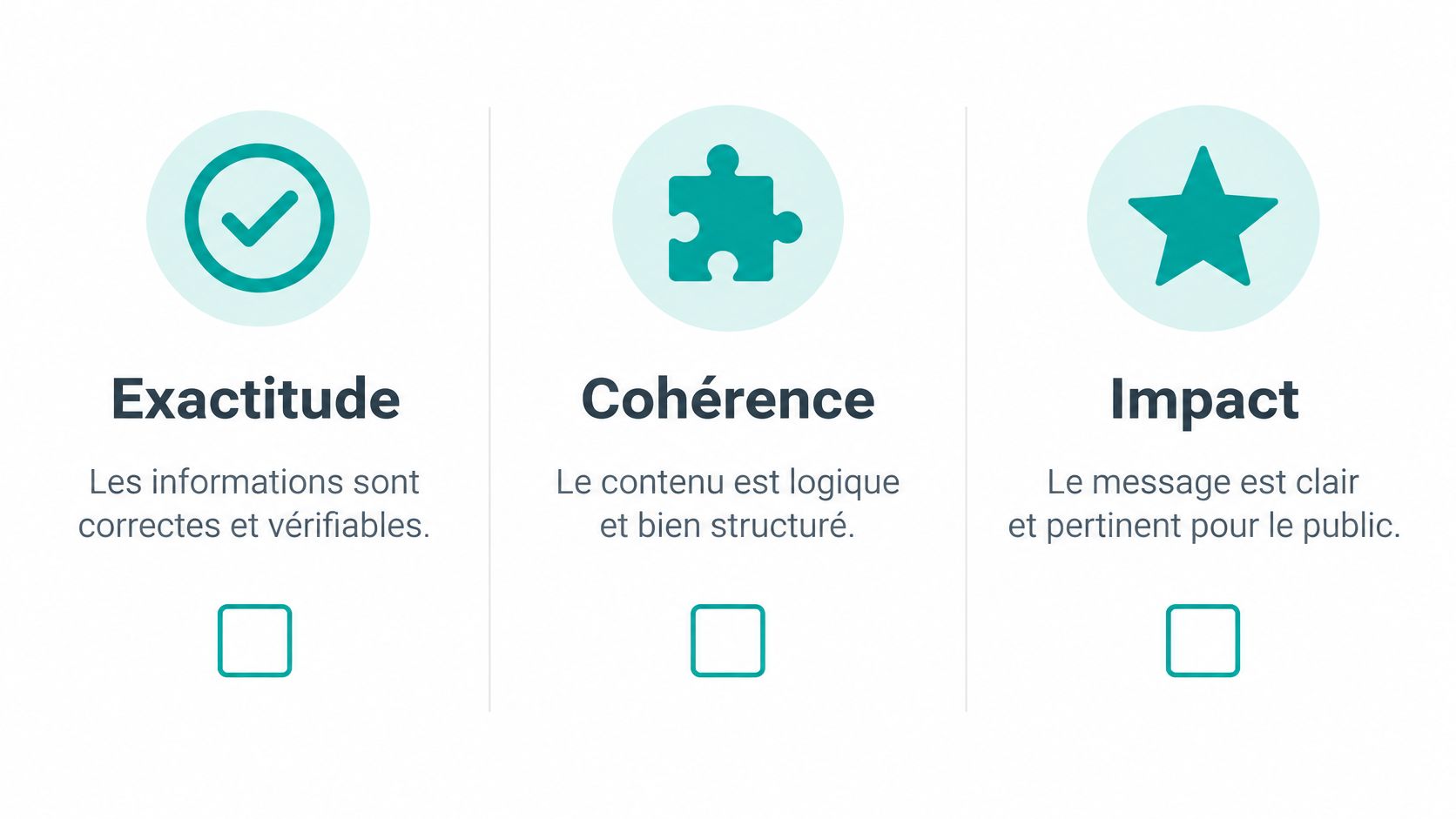
First Pass: Factual Accuracy
Compare each line to a source you have. Contracts, certificates, transcripts, internship attestations, tracking tables, or old reports can serve as references. Check dates, titles, degrees, software, language levels, and numbers.
Then ask yourself how you’d answer a direct question. If the resume claims reduced processing time, can you explain the starting point, your action, and how it was measured? If not, remove the number or describe only the action taken.
Second Pass: Job Fit
Highlight the main requirements of the ad. Place matching skills in the title, summary, and experiences that demonstrate them. An isolated keyword in a list without context remains weak.
This aligns with the logic in the guide to tailor your resume to a specific job without starting from scratch. Don’t copy the ad. Choose the proofs closest to its priorities and remove anything that doesn’t help the recruiter decide.
Third Pass: Human Readability
Read the document aloud. Remove repetitions, overly long sentences, and expressions you’d never use. Keep precise industry vocabulary but avoid jargon added just to sound expert.
- Weak phrasing. Optimization of administrative processes.
- Defensible phrasing. Created a tracking spreadsheet to classify requests by response time.
The second version can be explained. The first mainly raises questions you may not be able to answer.
The video below shows this final check before making your own edits.
This discipline becomes essential as 75% of managers using generative AI for applications use it to improve resumes and 84% for cover letters. If everyone generates, your advantage comes from verification.
Making Your Resume ATS-Friendly
A resume can look good on screen but be unreadable after import into recruitment software. An ATS (Applicant Tracking System) extracts text, identifies sections, and looks for job-related terms. Formatting is thus a technical, not just aesthetic, issue.
The stakes are real. In 2024, 50% of large French companies hiring managers used recruitment or applicant management software, 12 points higher than in 2021. You must plan for two readers: the software and the recruiter.
The five rules below limit information loss during import.
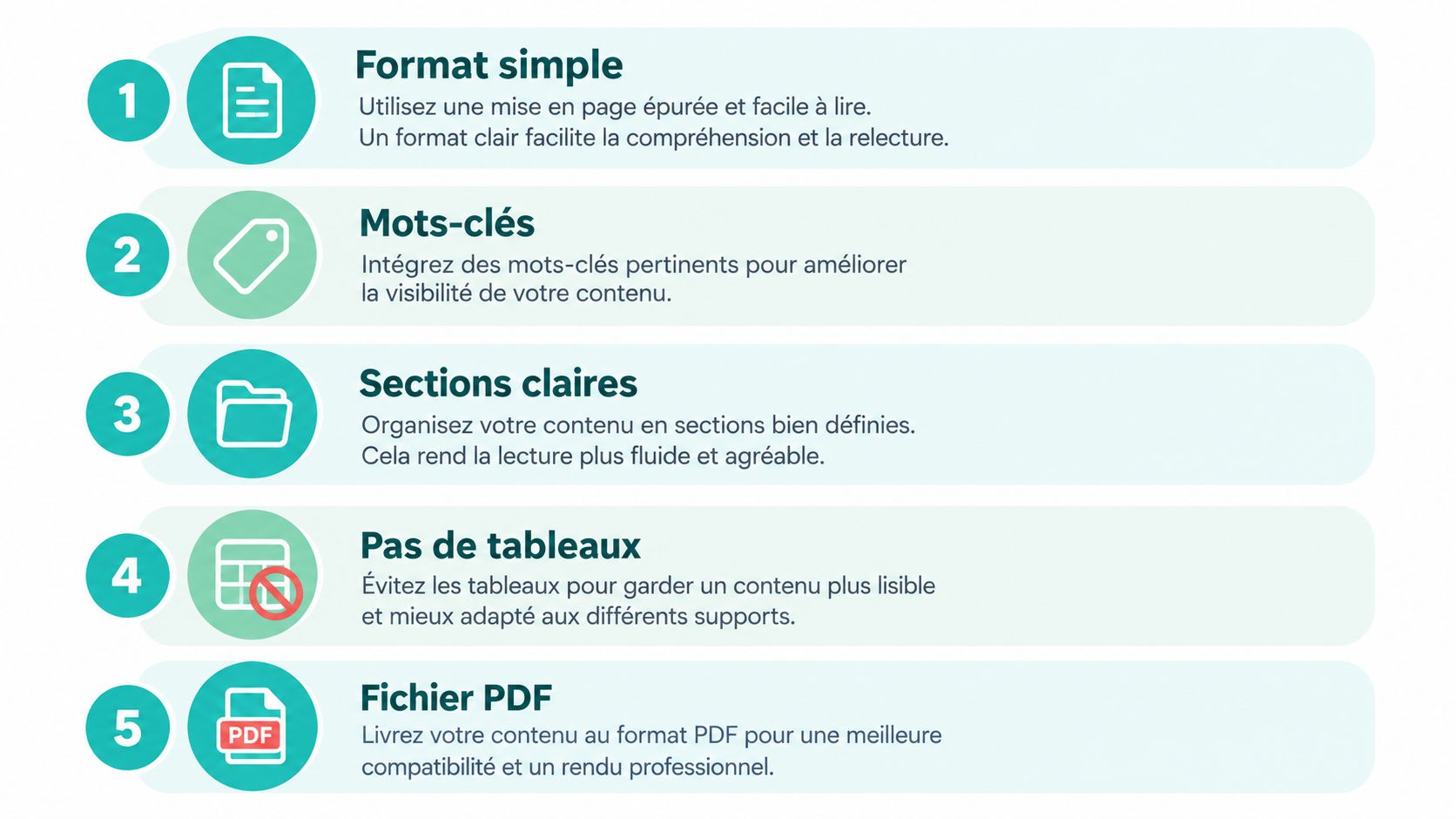
Preferred Formatting Choices
Use a single-column structure with clear headings like Work Experience, Education, and Skills. Avoid tables, text boxes, logos, and icons that carry important info. Graphic gauges for English or Excel skills may disappear or be misread.
Export a text-based PDF, never an image or scanned document. Use the exact job title in your header if you’re truly targeting that role. Also keep wording from the ad for software and qualifications when your experience confirms them.
Test Your File Before Submission
Open the PDF, select all text, and paste it into a simple editor. Check that dates stay attached to the right jobs, accents are preserved, and section order remains logical. If extracted text mixes two columns, the software will likely see the same disorder.
Also test the file name. A clear title with your name and targeted job helps the recruiter organize. Avoid generic names like final resume or document without context.
For more on settings and import errors, see the guide on passing ATS filters without keyword stuffing. Remember the key rule: optimizing means making your proofs accessible in a format the system can read, not tricking the filter.
Personal Data and Common Mistakes to Avoid
Your resume contains personal info, sometimes more than needed. Before copying it into an AI tool, ask what the service really needs to rephrase an experience. Usually, it doesn’t need your full address, birth date, or references’ contacts.
Anonymize Before Rephrasing
Create a working version. Replace your name with Candidate, remove phone, exact address, and unnecessary personal links. You can also anonymize an employer during tests, then restore info in the final local version.
Read the privacy policy before submitting data. Check retention period, possible use of content to improve the service, and deletion options. If info is missing, use another tool or work only with anonymized excerpts.
This caution also applies to visuals. If unsure about submitting or adding a photo, the guide on choosing the right photo for a resume helps decide based on job and context.
Three Mistakes That Weaken Your Application
The first is factual hallucination. AI fills in a missing date, degree, or result not in your notes. You must explicitly ask it never to fill missing fields and check the output.
The second is skill inventory. You copy all tools from the ad into your Skills section without having practiced them. The resume may pass screening, but the interview exposes the gap.
The third is over-optimization. You repeat the same keywords in every paragraph until the text feels artificial. The recruiter sees a ranking machine, not a career. Keep useful terms only where experience proves them, then stop.
Protection rule. If information isn’t needed for rephrasing, don’t share it.
You remain responsible for the content sent. The tool may suggest a false or awkward phrase. Your signature is on the application.
Final Checklist and FAQs
Before each submission, tick these points in order. One unchecked box is enough to delay your application by a few minutes.
- Job ad analyzed. Skills, tools, and expected results extracted.
- Facts verified. Dates, degrees, software, and numbers compared to sources.
- Keywords justified. Each term linked to a real experience.
- Data protected. Contact details and unnecessary info removed from working version.
- File tested. Text-based PDF extracted, reviewed, and clearly named.
Should you add a skill just to pass an ATS?
No. Add it only if supported by experience, project, training, or certification.
Can you create an AI resume without experience?
Yes. Use internships, projects, volunteering, and student work, describing context and actions taken.
How to present a career change?
Keep a transparent title, then organize proofs around transferable skills requested in the job ad.
What format should you send?
Send a text-based PDF unless the ad explicitly requests another format.
Can AI write your entire resume?
It can draft it. You must provide facts, choose proofs, and validate every line before sending.
You can apply this method with Jobshift starting from a specific job ad, then tailoring your resume’s title, summary, experiences, and skills before applying. Take your next listing, prepare your proof inventory, and create a version you can defend line by line in interviews.
À propos de l'auteur
Chris Massie, cofondateur de l'appli Jobshift. Il travaille sur l'outil depuis sa première version : analyse du CV face à l'offre, réécriture automatique des blocs faibles, candidatures envoyées en mode swipe. Profil LinkedIn