ATS-friendly resume: the template to copy and 3 filled-in examples
 Chris Massie
Jobshift
Chris Massie
Jobshift
October 26, 2026 · 12 min read
Partager l'article
An ATS-friendly resume is a resume that recruitment software reads without error: a single column, selectable text, sections with standard names, and the job posting's keywords written in plain text. Below you will find a complete template to copy and paste, three examples already filled in (recent graduate, experienced profile, career change), and the steps to check it in one minute with our free ATS test.
If you are looking instead for the detailed method (the 10 rules, an annotated before/after example, keywords by occupation), it is in our ATS resume guide to passing recruitment filters. Here, we move on to practice: a template ready to fill in.
In short
- An ATS-compatible resume is not an "ugly" resume: it is a resume whose structure stays readable once the text is extracted.
- The template below fits in one column, with no table, no icon, and no gauge. It works in Word, Google Docs, and Canva.
- An ATS does not decide for you: it files and ranks. A recruiter is the one who reads and decides, as France Travail points out.
- Before every send, paste your resume and the job posting into an ATS test to spot what is missing.
ATS in recruitment: definition and the role of ATS software on the HR side
ATS, a one-sentence definition
ATS stands for Applicant Tracking System. It is the software in which a company publishes its jobs, receives applications, stores them, and sorts them. Workday, Greenhouse, Lever, SAP SuccessFactors, Talentsoft, Recruitee, and Flatchr are common examples. When you click "Apply" on a careers site, your resume almost always lands in one of them.
Who uses ATS software in France?
Fewer companies than people say, but mainly the large ones. According to the figures reported by France Travail:
- 27 % of all French companies use an ATS (APEC 2025);
- that rate rises to 68 to 75 % in organizations with more than 200 employees (APEC 2025);
- 80 % of recruiters use or plan to use an ATS (Hellowork 2024), a figure that includes intentions.
Practical conclusion: as soon as you are targeting a large group, a mid-sized company (ETI), or a scale-up, assume that software will read your resume before a human does. In a very small business (TPE), the owner often opens it directly, and a clear resume is still an advantage.
HR ATS: what the recruiter actually sees
On the HR side, the ATS displays one record per candidate, filled in from your resume: name, contact details, roles, dates, degrees, skills. The recruiter can filter (city, degree, years of experience), search for a keyword across the whole database, and sort by a match score against the job posting. According to France Travail, about 50 % of this score depends on keywords. If a piece of information was not extracted correctly, it appears neither in the record nor in searches: that is the whole point of an ATS-friendly resume.

How ATS software reads your resume
The ATS does not "look at" your resume: it extracts the text, from left to right and from top to bottom, then tries to file it into boxes. Here is a simplified illustration of what can happen with a two-column layout.
What you sent: on the left, a sidebar with "Skills" and "Languages"; on the right, your experience.
What the tool may extract:
Skills Accounting manager Advanced Excel Durand Firm, Lyon Sage
2018 English C1 Monthly and annual closings Languages
The two columns mix line by line, the dates detach from the roles, and "Languages" no longer introduces anything. The candidate record will be incomplete, and a search for "Sage" may fail to find you.
Three things cause problems most often:
- Columns and tables, which break the reading order.
- Word headers and footers, which many tools ignore: your contact details disappear.
- Images, including phone icons or level gauges: an image contains no readable text.
The ATS-friendly resume template to copy
Copy this template into a blank document (Word, Google Docs, or Canva in "document" mode), replace the brackets, and delete the lines you do not need. Keep the order of the sections and their headings.
[First name Last name]
[Target job title, taken from the posting] | [Key skill 1], [Key skill 2], [Key skill 3]
[City], France | [Phone] | [Email] | [LinkedIn or portfolio URL]

PROFILE
[2 to 3 lines: your occupation, your years of experience, your specialty,
and a quantified result. Reuse 2 or 3 keywords from the posting.]

SKILLS
- [Technical skill 1, worded as in the posting]
- [Software or tool 1] ([level in text: advanced, proficient…])
- [Certification] ([full name of the certification])
- [Behavioral skill cited in the posting]

PROFESSIONAL EXPERIENCE
[Job title] | [Company], [City], France
[Month Year] – [Month Year]
- [Action verb + task + quantified result]
- [Action verb + tool cited in the posting + result]
- [Action verb + scope (budget, team, clients)]

[Job title] | [Company], [City], France
[Month Year] – [Month Year]
- [Achievement 1]
- [Achievement 2]

EDUCATION
[Full degree name, e.g. Master's in Corporate Finance] | [School or university], [City]
[Year obtained]

LANGUAGES
- English: [level in text] ([CEFR level, e.g. C1])
- [Other language]: [level]

INTERESTS (optional)
- [Only if they add something for the role]
Section by section: what to include
- Title under your name: this is the line read most often, by the tool and by the recruiter. Use the exact title from the posting ("Recruitment officer", not "Passionate about HR"), followed by three key skills.
- Contact details: in the body of the document, never in the header. City + country, phone, email, LinkedIn.
- Profile: three lines at most. This is the ideal place to place two or three keywords from the ad naturally.
- Skills: a bulleted list, in text. Tool names are written exactly as they appear (Salesforce, Sage, Figma, SAP), and acronyms are spelled out once.
- Professional experience: from most recent to oldest. Dates in the format "Month Year – Month Year". Each bullet starts with a verb and ends, if possible, with a number.
- Education: the full name of the degree. An abbreviation alone ("M2 FE") will not be matched to anything.
- Languages: in text, with the Common European Framework level (A1 to C2) if you know it.
For formatting: a standard font (Arial, Calibri, Helvetica, Georgia, or Times New Roman), body text of 10 to 12 points, section headings in bold or capitals, one page if you have fewer than ten years of experience, two beyond that.
Would you rather not start from a blank page? Our free resume generator produces exactly this kind of resume in plain text, with no account: name, occupation, contact details, experience, skills, education.
3 filled-in examples of an ATS-compatible resume
The three profiles below are fictional. They show how the same template adapts to different situations. Only the top of the resume is shown in detail, because that is the part that weighs most in the candidate record.
Example 1: recent graduate without long experience
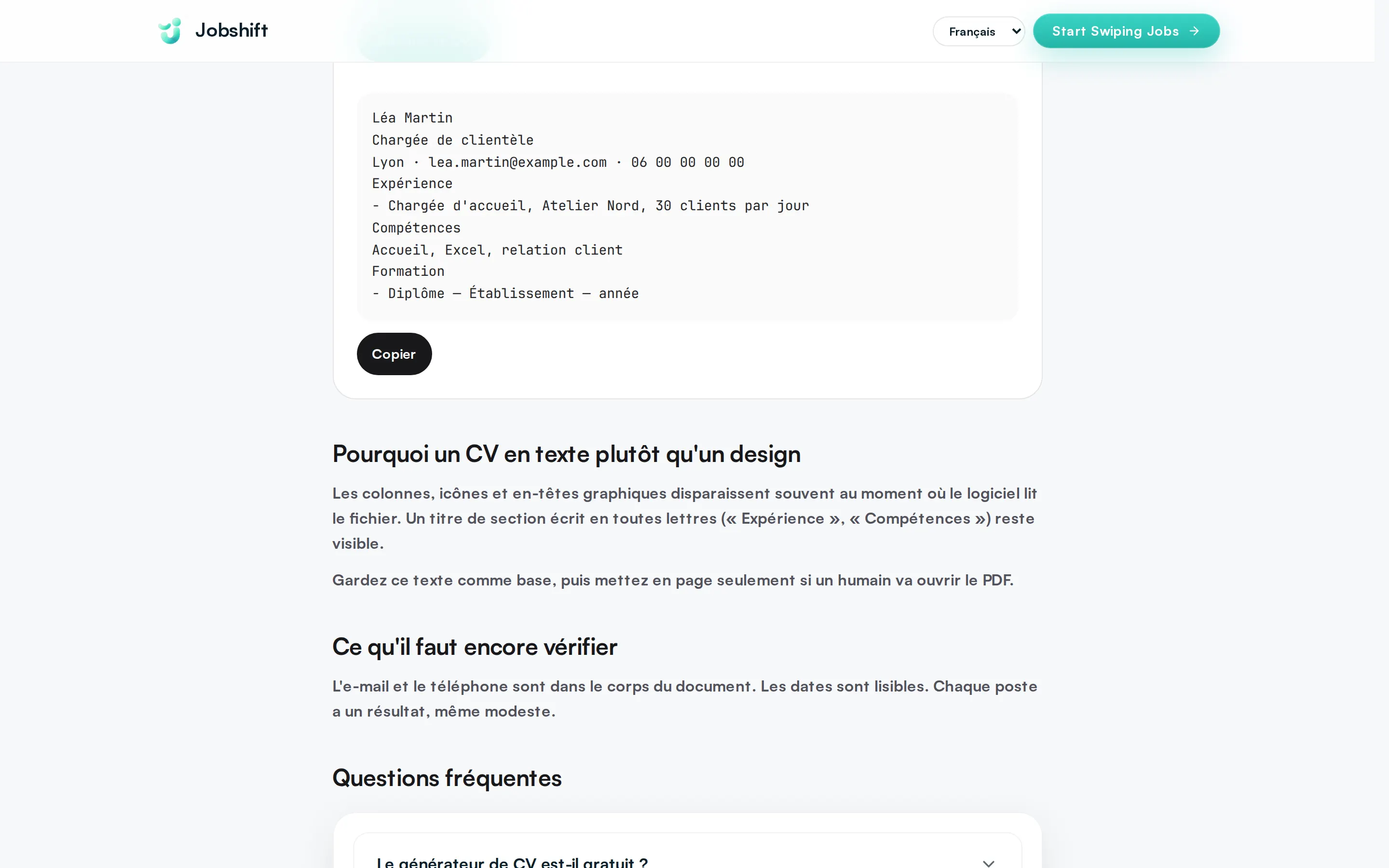
Léa Martin
Digital marketing assistant | SEO, Google Analytics, social media management
Nantes, France | 06 00 00 00 00 | lea.martin@email.fr | linkedin.com/in/leamartin

PROFILE
Graduate of a Bachelor's degree in Digital Marketing, 2 agency internships (10 months in total).
35 % increase in organic traffic for an e-commerce site during my final-year internship.

SKILLS
- SEO (Search Engine Optimization): audit, on-page optimization
- Google Analytics 4, Google Search Console (advanced)
- Social media management: Instagram, LinkedIn, TikTok
- Canva, WordPress (proficient)
Without long experience, internships, school projects, and summer jobs fill the "Professional experience" section with concrete results. Our article on writing a resume with no professional experience explains how to present them, and the Jobshift for juniors page shows how the app targets jobs open to beginners.
Example 2: experienced profile
Karim Benali
Accounting manager | Monthly closings, consolidation, Sage 100
Lyon, France | 06 00 00 00 00 | karim.benali@email.fr | linkedin.com/in/karimbenali

PROFILE
Accounting manager, 9 years of experience in an accounting firm, then in an industrial SME.
Monthly closing time cut from 12 to 7 business days in 2024.

PROFESSIONAL EXPERIENCE
Accounting manager | Industries Rhône SAS, Lyon, France
March 2021 – Present
- Led a team of 3 accountants and the monthly and annual closings
- Set up supplier invoice digitization on Sage 100
- Prepared VAT returns and the annual tax package
For a senior profile, the risk is the opposite: too much information. Keep the last ten years in detail and summarize the rest in one line per role.
Example 3: career change
Sophie Leroy
Junior web developer | JavaScript, React, Node.js
Bordeaux, France | 06 00 00 00 00 | sophie.leroy@email.fr | github.com/sophieleroy

PROFILE
Former department manager (8 years), career change into web development after a
6-month intensive training program. 3 projects deployed to production, including an inventory management app.

SKILLS
- JavaScript (ES6), React, Node.js, REST APIs
- Git, GitHub, continuous deployment (CI/CD)
- Team management (8 people) and client relations
In a career change, the title shows the new occupation, not the old one. Transferable skills (management, client relations) stay in the list, worded with the language of the posting. To go further, see our career change page.
Creating your ATS resume in Word, Google Docs, or Canva
In Word or Google Docs
- Start from a blank document rather than a graphic template.
- Use "Heading 1" styles for section titles: the hierarchy stays clean.
- Do not insert a table, a text box, or columns (Layout menu).
- Write your contact details in the body of the text, under your name.
- Export as .docx or as PDF via "Save as" or "Download", never by printing to an image.
- Open the PDF and select the text with the mouse: if the selection works, the ATS will be able to read it.
In Canva
Canva is not forbidden, but most of its resume templates use columns, icons, and decorative frames. If you use it, choose a one-column template, delete the icons that carry information (phone, email), replace gauges with text, and export as "Standard PDF". Then do the text-selection test. A good strategy is to keep two versions: the plain version for online applications, the graphic version for the interview or for sending directly to a recruiter.
What about the photo?
In France, the photo is still common but optional. The ATS does not read it: it neither gains nor loses you points, as long as it contains no essential information. To know whether it helps you, read our guide on which photo to use on a resume.
Testing your resume for free: the Jobshift ATS test
A clean template is not enough: you need to check the resume against the job you are targeting. The Jobshift ATS test is free and takes about one minute:
- Paste the text of your resume.
- Paste the job posting, if you have it.
- Read the diagnosis: the test flags what is missing (email address, phone, recognized sections) and checks whether words from the role appear in your resume.
The test does not grade your career and does not guarantee a reply from the recruiter. It tells you whether the important information is readable. Fix the blocking errors first (contact details, sections), then adjust the keywords, and test again.
Common mistakes with an ATS resume template
- Buying a two-column "ATS" template. Many templates sold as ATS-compatible still keep a sidebar. If the text gets mixed up when you paste it into a plain text editor, the template is not reliable.
- Leaving contact details in the header. This is the most common mistake with Word templates.
- Replacing words with icons. A phone icon followed by a number is fine; a skill represented only by a logo is not.
- Stuffing the resume with invisible keywords. White text on a white background shows up in plain text in the candidate record: the recruiter sees it.
- Sending the same resume everywhere. The template is a base. The title, the profile, and the order of the skills change with every job.
- Naming the file badly. Prefer CV-Firstname-Lastname-Role.pdf to "cv final (3).pdf".
Save time on every application. Test your resume in one minute with our free ATS test, then let Jobshift do the rest: for every job you swipe right on, the app generates a resume tailored to the role and sends it directly into the recruiter's ATS (Greenhouse or Lever). You review it before it is sent. Try Jobshift · See how it works
FAQ
What is an ATS-friendly resume?
It is a resume designed to be read without error by recruitment software: one column, selectable text, sections with standard headings (Professional experience, Education, Skills), and the job posting's keywords written out in full.
What is the difference between an ATS-friendly resume and an ATS-compatible resume?
None: the two expressions mean the same thing. "ATS-friendly" is the anglicism; "compatible ATS" is its French version.
Should you send your ATS resume as a PDF or a Word file?
Both work if the file is a text file. .docx remains the safest on older ATS tools; a PDF exported from Word or Google Docs also gets through. Avoid a scanned PDF and image exports.
Which ATS software do recruiters use?
Among the most widespread: Workday, SAP SuccessFactors, Greenhouse, Lever, Talentsoft, Recruitee, and Flatchr. The rules of an ATS-friendly resume apply to all of them: none of them reads text contained in an image.
Can an ATS-friendly resume have design?
Yes, in moderation: one color for the headings, a readable font, airy spacing. What causes problems are columns, tables, text boxes, and graphic gauges.
Does the cover letter also go through the ATS?
About one time in two, according to France Travail. Apply the same rules: text format, keywords from the posting, no image.
Sources
- France Travail: Recruitment software (ATS): adapt your resume so you are easier to find (APEC 2025 and Hellowork 2024 figures cited by the page)
- APEC: Optimize your resume to pass ATS filters